Why Your Calendar Needs More Than Events
Most people open Google Calendar to check appointments, then use memory or scattered notes for everything else. That works until a work deadline competes with a school pickup, a recurring workout disappears under meetings, or travel time turns a manageable day into an impossible one. The problem is not usually a lack of events. It is that the calendar does not yet show the time, preparation, and boundaries surrounding them.
A useful calendar should answer more than “What is happening?” It should also show when to prepare, how long commitments really take, and which routines deserve protected space. A dentist appointment may require travel and recovery time. A weekly planning session may prevent several missed tasks. Once these details become visible, your calendar shifts from a list of obligations into a realistic plan for using your time.
Set Up Separate Calendars for Clearer Boundaries
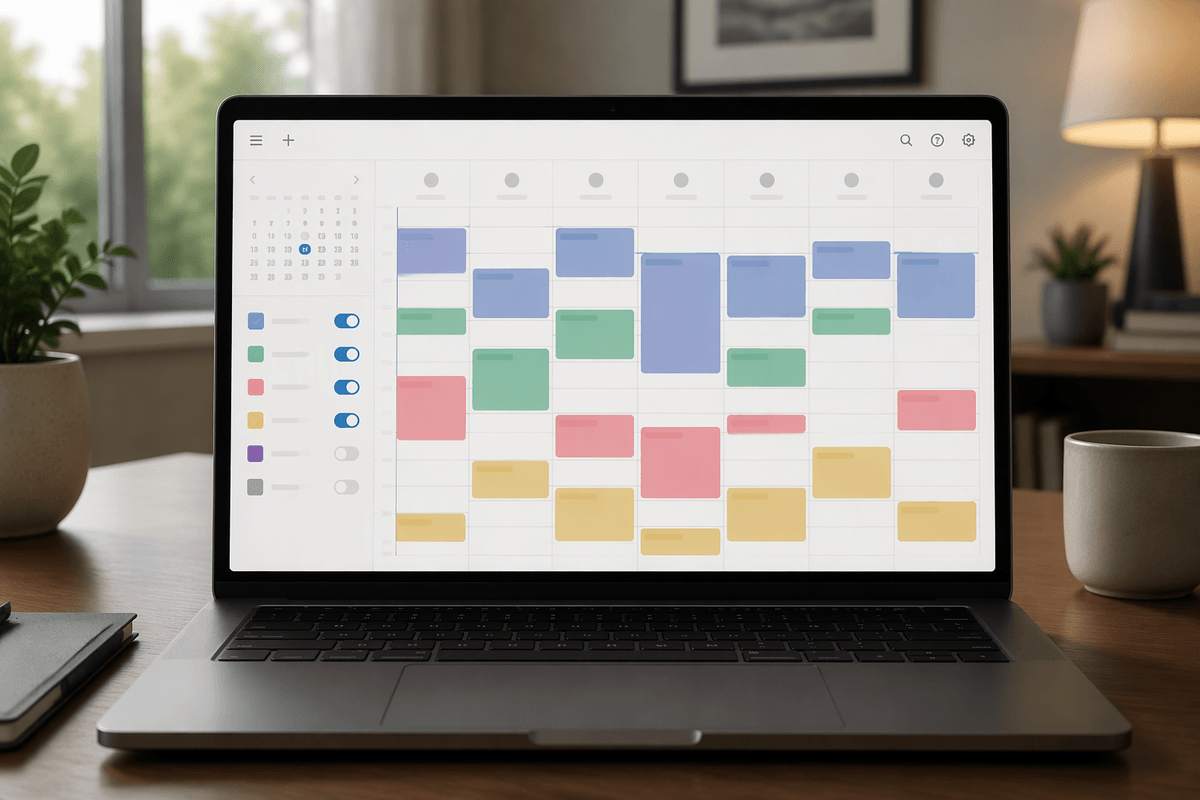
Start by separating commitments according to the boundaries you need to see. A practical setup might include Work, Personal, Family, and Routines calendars, each with its own color. This lets you scan a busy week and quickly distinguish a client meeting from a child’s appointment or a protected exercise block. Keep the categories broad enough to remain useful; creating a separate calendar for every type of task usually adds maintenance without adding clarity.
Use these calendars to control visibility, not to create isolated schedules. You can hide optional calendars when checking a specific part of your day, then turn them back on before making new plans. For shared responsibilities, consider a family calendar that everyone can view, while keeping private work details separate. Remember that color coding does not prevent conflicts by itself. Before accepting an invitation, check all visible calendars and include realistic travel, preparation, and recovery time. The goal is one complete picture with clear boundaries, not several disconnected lists.
Turn Calendar Entries Into Useful Information
Once the calendars are separated, make each entry specific enough to guide your next action. “Project meeting” is less useful than “Project meeting—review budget and bring latest figures.” Add the location or video link, relevant notes, and any files you will need. For appointments outside your usual area, include the address and allow time for travel. If preparation matters, create a separate block before the event rather than hiding it in the description. This turns the calendar into a working plan instead of a record of things you already agreed to do.
Use event types consistently. Reserve timed events for commitments that happen at a specific hour, and use all-day entries for deadlines or reminders that do not occupy the whole day. Recurring events work well for routines such as medication, exercise, or weekly planning, but review them when your circumstances change. A repeating task that no longer fits can create background clutter and make your schedule look more reliable than it is. Keep descriptions short enough to scan quickly, and include only information that will help you prepare, decide, or follow through.
Protect Time Before Your Schedule Fills

Open time rarely stays open for long. If you wait until every meeting and appointment is added, important routines will be pushed into whatever gaps remain. Protect those periods first by creating time blocks for focused work, exercise, meal preparation, errands, family responsibilities, or recovery. Give each block a realistic duration and mark it as busy when other people should not schedule over it. A two-hour focus block may be more useful than a vague reminder to “work on the report.”
Work backward from fixed commitments when planning the day. Add preparation, travel, and transition time before deciding where flexible tasks belong. You may need to decline a meeting, shorten an errand, or move a routine when the available space is genuinely limited. That is not a planning failure; it is an accurate response to capacity. Avoid filling every gap, too. Leaving a small buffer helps absorb late meetings, unexpected calls, and ordinary delays. When a protected block repeatedly gets interrupted, change its timing, shorten it, or make the boundary clearer rather than continuing to treat an unrealistic plan as a commitment.
Use Notifications Without Creating More Noise
Notifications work best when they mark a decision point, not every possible detail. Keep alerts for commitments that would be costly to miss, such as appointments, travel departures, deadlines, or meetings that require preparation. For routine blocks, a single reminder may be enough. If every event produces several alerts, important notices become easier to dismiss, especially during a busy workday.
Match the reminder to the action it supports. A dentist appointment might need an alert the day before and another reminder when it is time to leave. A project meeting may need a 15-minute notice, while a weekly planning block may need no alert if it already has a consistent place in your routine. Review default notification settings instead of accepting them for every calendar. Also check notifications on shared calendars, where another person’s event may create noise you do not need. The practical test is simple: after receiving an alert, should you do something different? If not, remove it or move the information into the event details.
Coordinate People, Places, and Changing Plans
Shared plans become difficult when the calendar shows only the appointment and not the coordination around it. For a school pickup, include who is responsible, where the handoff occurs, and what happens if the schedule changes. Use guest invitations when someone needs to respond or receive updates, and add the relevant location so travel time is visible. For appointments that may move, keep the original details easy to find and update the event rather than creating several competing versions. This reduces the chance that one person follows an outdated time or address.
Build flexibility into plans that depend on other people. Add a buffer before deadlines, avoid scheduling back-to-back commitments in distant locations, and use the event description to record decisions or outstanding questions. When a change affects several people, update the shared event promptly and include a brief note about what changed. Recurring events deserve special attention: changing one occurrence may be appropriate when a holiday or appointment conflicts, while changing the entire series can quietly disrupt future plans. Confirm important details close to the event, especially when travel, childcare, or outside scheduling systems are involved. A calendar can coordinate information, but it cannot remove the need for clear communication.
Make A Weekly Review Part Of The Routine
A weekly review keeps the calendar useful after the initial setup. Choose a consistent time, such as Friday afternoon or Sunday evening, and scan the next one to two weeks. Confirm appointments, check travel time, review recurring routines, and look for collisions across work, personal, family, and shared calendars. Add preparation blocks for important commitments and remove events that no longer apply. This is also the right moment to check whether protected time is still realistic or has been repeatedly displaced.
Keep the review short enough to repeat. A ten-minute check is more valuable than an elaborate planning session you avoid. End by identifying the week’s fixed commitments, one or two priorities, and any decision that needs attention. Treat the calendar as a living capacity plan: update it when circumstances change, and let visible limits guide what you accept.